


Supermarket & grocery POS software
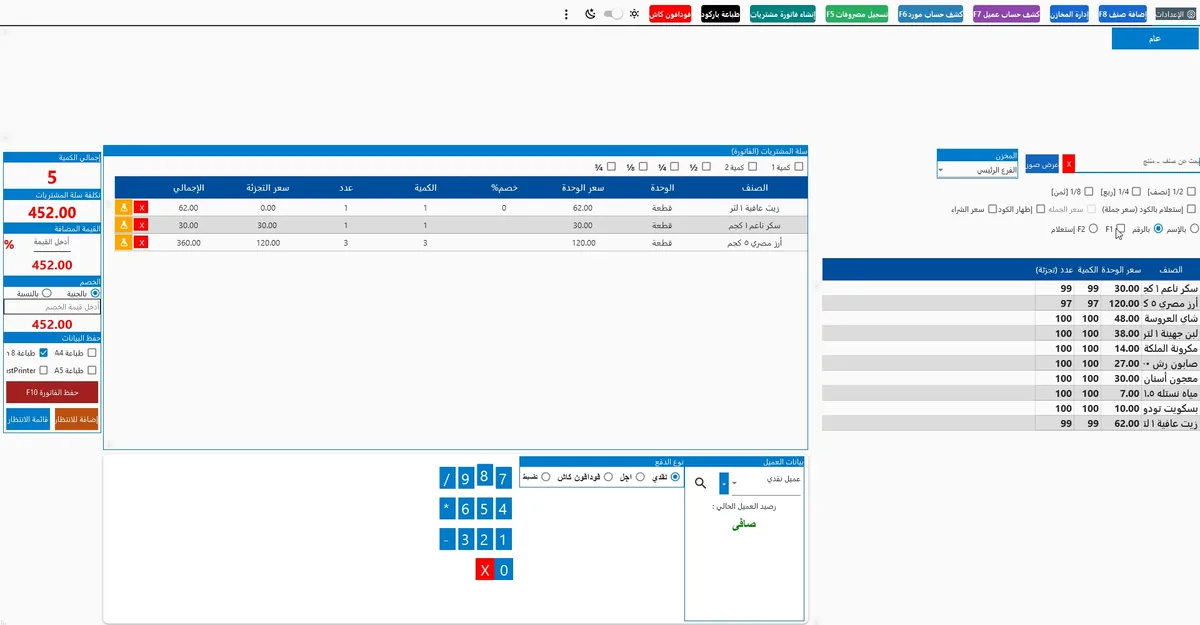
Checkout speed is everything in a supermarket: instant barcode, scale pricing, automatic offers and queues that keep moving — even when the internet drops.
- Instant barcode
- Automatic offers
- Mobile stocktakes
- Setup and training in a day
- Arabic support on WhatsApp
- Free updates
- Works without internet
A corner grocery or a supermarket with branches — the same POS
Grocery and minimarket
One fast register, barcodes and the stock of every item in front of you.
Supermarket with a scale
Weight and price barcodes from the scale read automatically.
Offer and wholesale shops
Quantity offers, a wholesale and a retail price for the same item.
Several branches
Items and prices set once, every branch followed from mobile.
The problems a supermarket POS solves
A register that never lags with thousands of items
Instant barcode reads, search by name or code, and a selling screen that finishes a sale in seconds — the queue keeps moving.
- Instant reads across thousands of items
- Search by name or part of a code
- Several barcodes per item
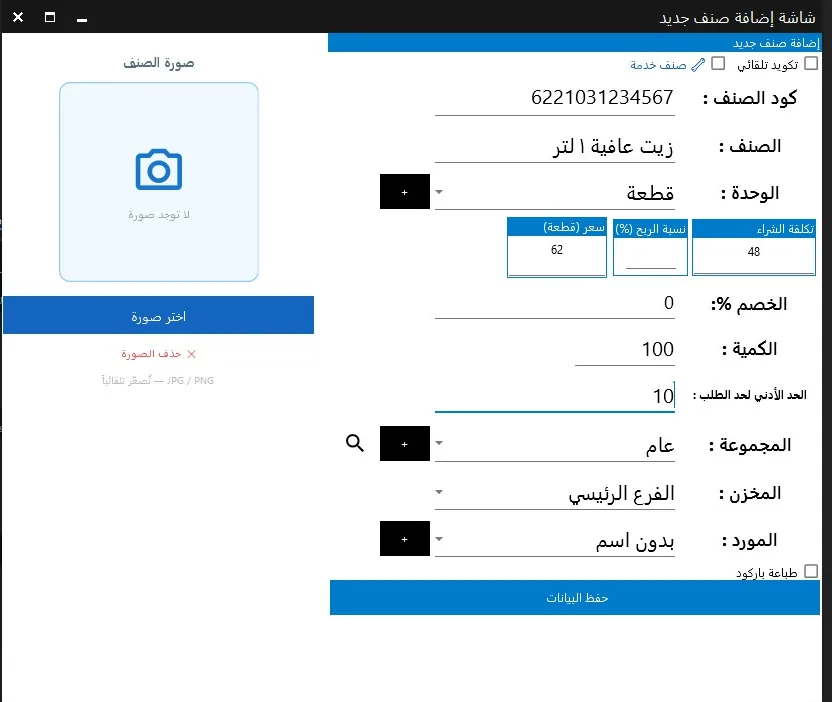
Scale items read themselves
Vegetables, cheese and meat carry a scale barcode with the weight or price — the cashier scans it and the receipt is right without typing.
- Weight or price barcodes
- Items by kilo or by piece
- Zero manual entry errors
Offers and discounts applied automatically
3-for-2, percentage or fixed discounts and a wholesale price for wholesale customers — applied at checkout without mental arithmetic.
- Quantity, percentage and fixed offers
- Wholesale and retail prices
- A permission for manual discounts
Mobile stocktakes and shortages before the shelf is empty
Barcode stocktakes on mobile compared with system stock, an alert at the reorder level, and stock movement between the warehouse, the shelf and branches.
- Barcode stocktakes on mobile
- Reorder levels and shortage alerts
- Transfers between stores and branches
Cash, wallets and cards — a drawer reconciled every shift
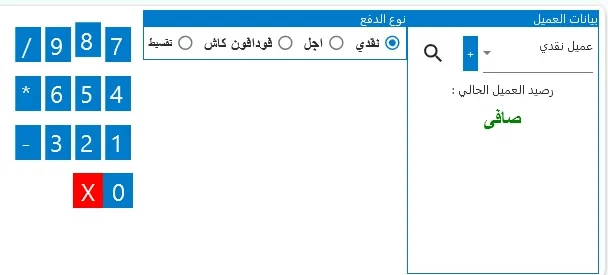
Several payment methods on one receipt, each listed separately at the shift close — the difference shows before it is forgotten.
- Cash, Vodafone Cash and cards
- Reconciled shift close
- Permissions per cashier
Loyalty points that bring customers back
Points per customer that turn into discounts, a customer base built from sales receipts — and offers sent on WhatsApp.
- Points that become discounts
- A customer base from receipts
- Offers on WhatsApp
Getting started in one day
Four steps between the decision and the first receipt on the new register.
- Import itemsItems, prices and barcodes — from a file or by scanning them in.
- Set up offersOffers, discounts, loyalty points and wholesale prices.
- Connect the hardwarePrinter, barcode scanner, cash drawer and customer display.
- Train the cashierThe selling screen is simple and quick to learn — the first shift closes with us.
Supermarket POS hardware
A fast barcode scanner, a thermal receipt printer, a cash drawer and a customer display — all tested with the software.
Supermarket POS pricing
A clear monthly subscription in EGP that includes updates and support. Hardware is a one-time purchase from the store.
- One register
- Barcode, scale and offers
- Daily reports
- WhatsApp support
- Mobile app
- Multiple branches
- Up to 5 devices + mobile
- Mobile stocktakes and multi-warehouse
- All reports
- Priority support
- All systems
- Unlimited devices
- Branches and central stock
- Dedicated account manager
Full plan details · POS software prices in Egypt 2026 — the full cost guide
Supermarket POS vs a basic register vs a notebook
| Need | Notebook / Excel | Basic POS | Supermarket POS |
|---|---|---|---|
| Scale barcodes | — | depends | |
| Offers applied automatically | — | — | |
| Mobile stocktakes | manual | — | |
| Shift close with numbers | manual | ||
| Works offline | depends | ||
| Shortage alerts | — | depends |
Why supermarket owners choose Kashir
An Egyptian team that knows shops
Installing and training inside shops since 2018 — we know the queue, the scale and stock differences.
Setup and training in one day
Import the items, connect the hardware, train the cashier — sell the same day.
Software and hardware from one place
The scanner, printer and customer display in the store are tested with the software.
Clear prices in EGP
A known monthly subscription, a free trial and cancellation any time.
Supermarket POS: speed is the profit
In a supermarket the queue is the biggest risk — every extra minute at the till is a basket left behind. A supermarket POS must read barcodes instantly across thousands of items, understand scale barcodes and apply offers by itself.
Reports that change a supermarket’s profit
- Best sellers so the shelf does not run out mid-week.
- Slow movers that tie up cash and need an offer or a stop on reordering.
- Margin per item from the average purchase cost, not the last invoice.
- Sales per shift and cashier compared with the actual drawer.
- Stock movement between the warehouse, the shelf and branches.
What to check before choosing a supermarket POS
- Does barcode lookup stay instant with your full catalogue?
- Can it read the barcodes your scale prints?
- Do offers apply automatically, without cashier calculations?
- Is there a mobile app for stocktakes and daily sales?
- Does it keep selling when the internet drops?
Setup, training and support
Installation and cashier training usually take one day: we prepare items and prices, connect the printer, drawer and scanner, and teach the cashier the selling screen and the shift close. After that the Egyptian support team stays with you on WhatsApp and phone, and updates arrive at no extra cost.
When you grow
Start with one register, then add devices or a second branch from the same account. When you need customer and supplier accounts, credit sales and financial reports, move to POS + accounting without re-entering your data.
Before you choose a supermarket POS
Does it read scale barcodes?
Does it stay fast with thousands of items?
Can I run offers like 3-for-2?
Can I do stocktakes on mobile?
Does it work when the internet drops?
How much is the supermarket POS?
Try the supermarket POS free for 14 days
We import your items, connect the scanner and scale, and close the first shift with you.